
Custom Solutions
Setup
First, click this link. Either open the file, or save it to a location, and then
open the file. You will be presented with a screen like the following:
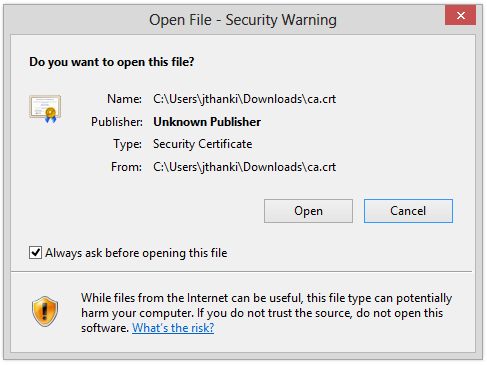
On this screen, click Open. You will be presented with a screen that looks like this:
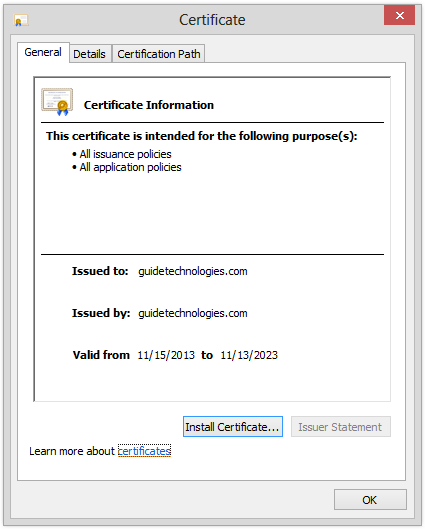
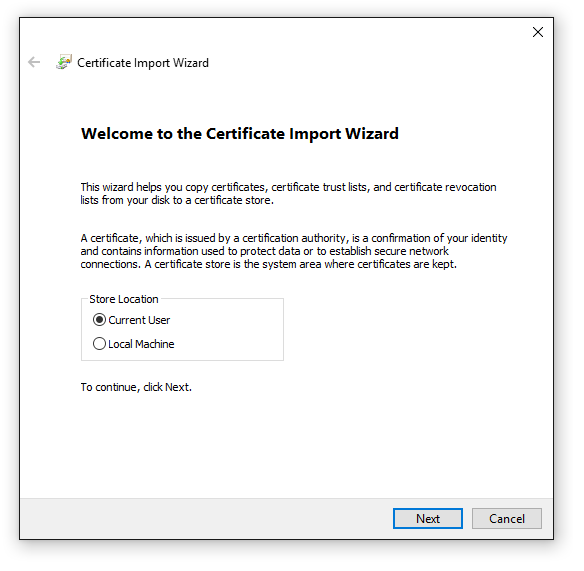
Click the Install certificate button. The next screen may differ to the following screen, but click next until you reach a screen that looks like this:
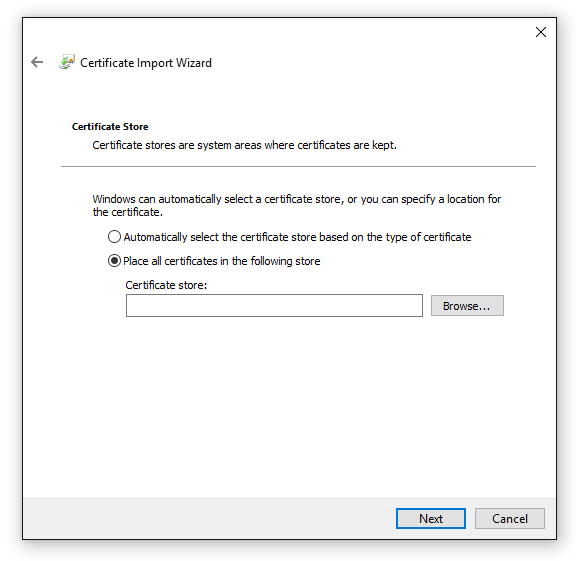
Select the Place all certificates in the following store radio icon, and then click the Browse button
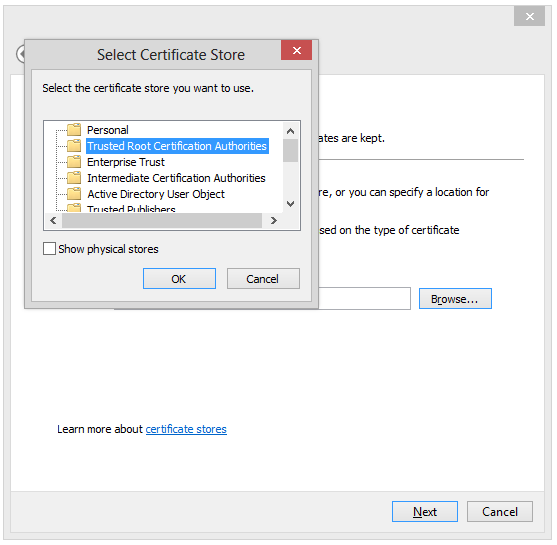
Select the Folder labelled Trusted Root Certification Authorities item and click OK
At this point, you can click next all the way to the end of the process. Once you have installed this certificate, you can use custom solutions Guide Technologies has developed for you.